Speech to Text
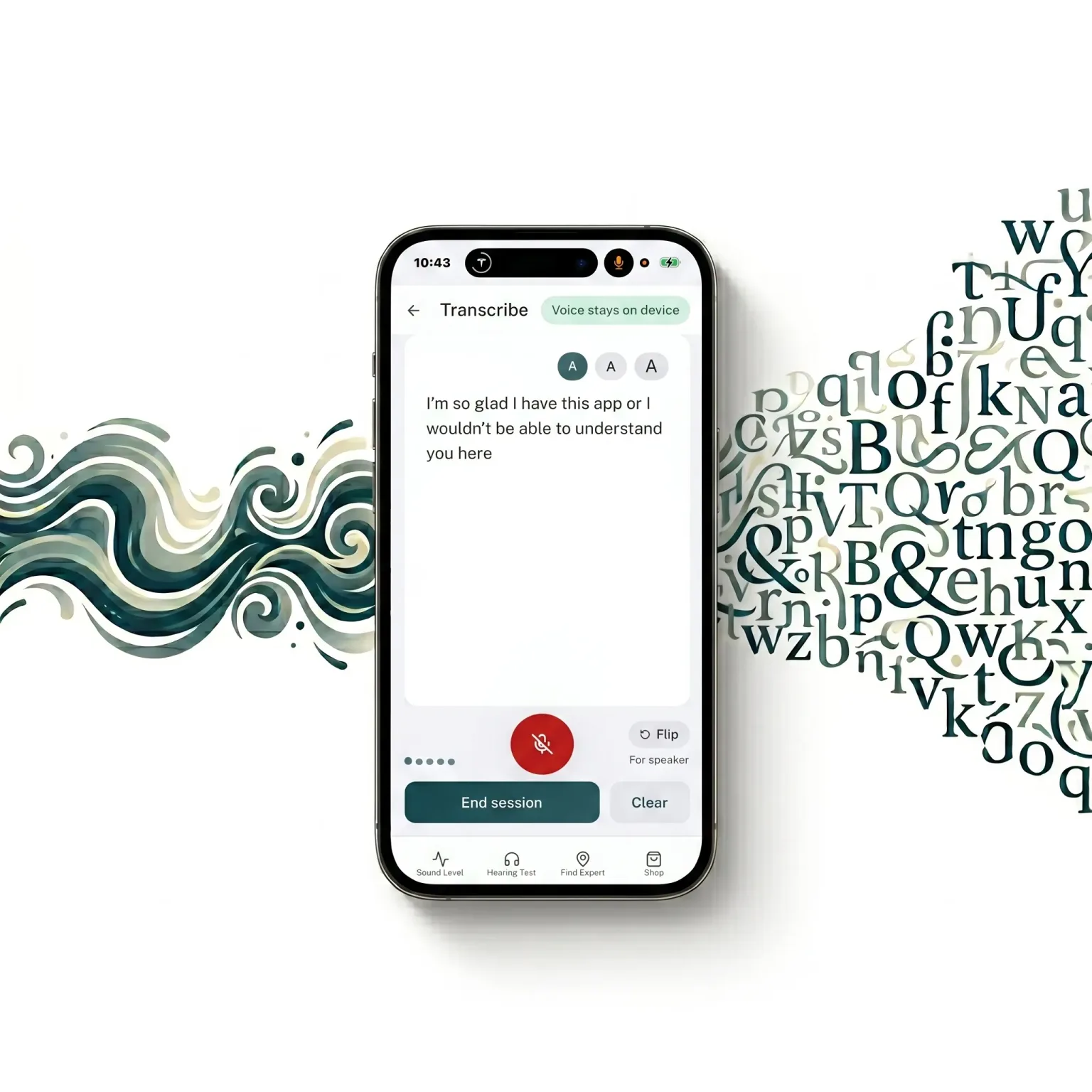
Read What People Are Saying in Real Time
By Dan McCoy, Audiology Industry Professional · Updated June 2026
Struggling to follow conversations in noisy restaurants, meetings, or group settings? Live captions of what people are saying — on your screen, in real time. If you find yourself relying on this more and more to follow conversations you used to hear just fine, that's worth paying attention to. The free hearing test is a good next step.
Free account - microphone access required.
Who It Helps
For Anyone Who Struggles to Follow Conversations
What is Real-Time Speech-to-Text?
Real-time speech-to-text transcription converts spoken words into text as they are spoken, displaying captions on your screen with minimal delay. It uses your device microphone to capture audio and speech recognition to identify words, letting you read what people are saying rather than straining to hear them.
Real-time speech transcription is not just for people with severe hearing loss. It is useful for anyone whose hearing makes certain situations harder than they should be.
Noisy restaurants and bars
Background noise drowns out individual voices. Captions let you follow the conversation at the table without asking people to repeat themselves.
Group meetings and conferences
Multiple speakers, side conversations, and room acoustics make meeting rooms challenging even with mild hearing loss.
Talking with people who wear masks
Masks reduce the audibility of consonant sounds and remove lipreading cues. Captions compensate for both.
Phone and video calls
Call quality, accents, and speaker characteristics all reduce clarity. Captions help fill the gaps.
Watching TV without disturbing others
Use captions to follow content at a lower volume, or in situations where turning up the TV is not an option.
People with accented speech
Unfamiliar accents require more cognitive effort to decode. Captions reduce the mental load of listening.
Why It Happens
Why Noisy Places Are So Hard
Understanding speech in noise is one of the most demanding tasks the auditory system performs. It requires the brain to separate a target voice from competing sounds, fill in masked phonemes, and track the rhythm of speech — all simultaneously.
Hearing loss makes this harder because it tends to affect the high frequencies (consonant sounds like S, F, TH, K) before the low frequencies (vowel sounds). Consonants carry most of the meaning in speech. When they are masked by noise, words become impossible to distinguish even at a comfortable volume.
Speech-in-noise difficulty is often the first symptom of hearing loss that people notice — and it is frequently dismissed as a concentration problem before the underlying hearing issue is identified.
Source: American Speech-Language-Hearing Association (ASHA)If this describes your experience, a hearing screening is a good starting point.
Want to know if a room itself is just too loud? Measure the noise around you.
How It Works
Live Captions in Three Steps
Open Transcribe
Launch LSTN and open the Transcribe tool. Grant microphone access when prompted.
Point toward the speaker
Hold your phone so the microphone faces the person speaking. Captions appear on screen as words are spoken.
Read in real time
Words appear with minimal delay. Keep the screen visible to follow the conversation without lip reading.
Common Questions
Speech to Text FAQ
What is speech-in-noise difficulty?
How accurate is the real-time transcription?
Does it work without an internet connection?
Can real-time captions replace hearing aids?
Is Transcribe useful for people without hearing loss?
Follow Every Conversation
Free account - real-time captions anywhere. No credit card required.